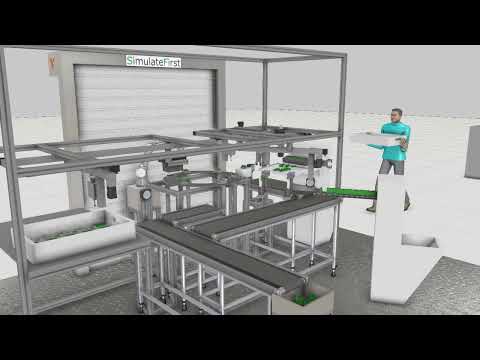
Robot & facility simulation

Design your robot cell
in 3D before you build it

A complete 3D simulation of your production cell, assembly line, or entire facility — verifying reach, cycle time, collision-free paths, and throughput before a single component is ordered.

1000+
robot models in Visual Components library — all major brands
Offline
robot programs generated in simulation, uploaded directly to controller
VC Partner
certified Visual Components partner & reseller since 2012

Why 3D simulation before physical installation

Designing a robot cell on paper or in CAD is necessary — but insufficient. A 2D layout doesn't tell you whether the robot can actually reach position 47 without hitting the fixture. It doesn't show you whether the cycle time works when the gripper needs to rotate 180°. And it can't warn you about the collision that will happen when the conveyor is running and the robot is at its home position at the same time.

3D robot simulation closes this gap. Before anything is fabricated or installed, you have a virtual cell that replicates the kinematic behaviour of every robot, the movement of every conveyor, and the timing of every sequence — and you can run it for days to find every problem.

Design changes in simulation cost nothing. The same change after physical installation — moving a robot base by 200mm, adding a safety fence, rerouting a cable tray — typically costs thousands of euros and weeks of delay.
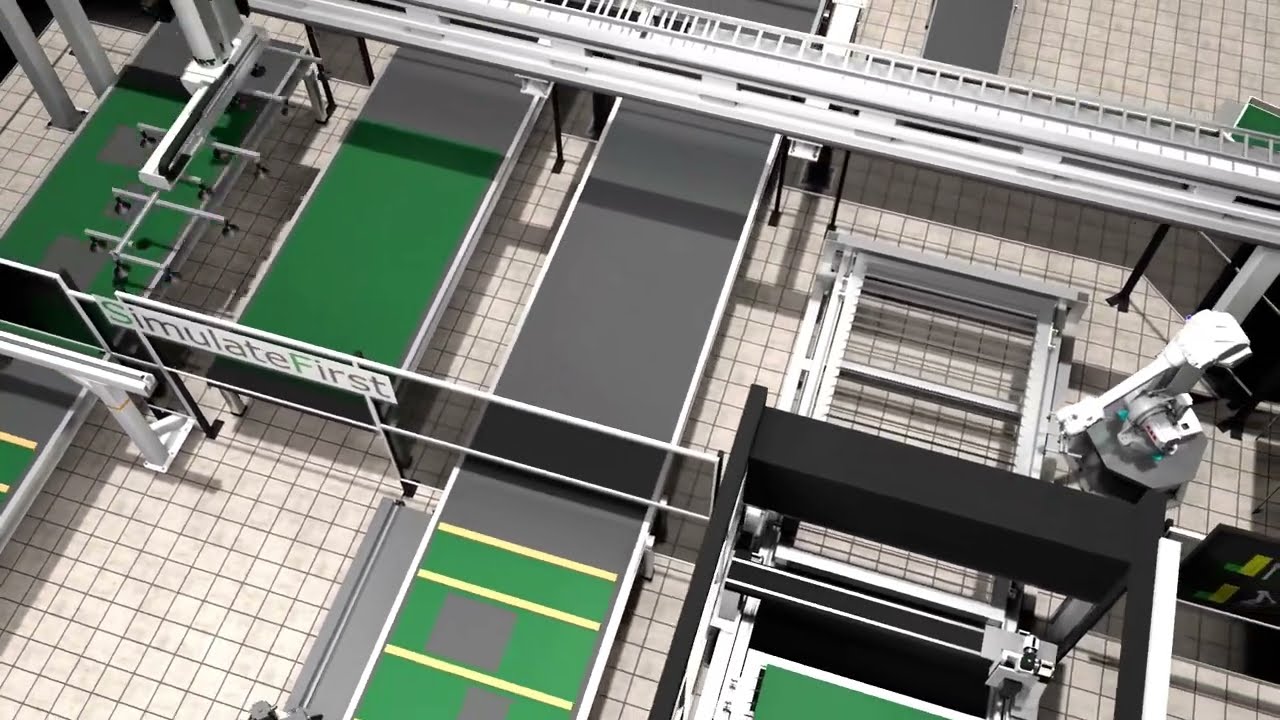
Automated wall assembly line — robot kinematics and laser cutting validation in Visual Components
Automated wall assembly line — robot kinematics & laser cutting validation in Visual Components
Related examples

See it in practice

Robot cell 3D animation automotive welding cell

Automotive welding cell — reach analysis & offline programming

Visual Components · Automotive
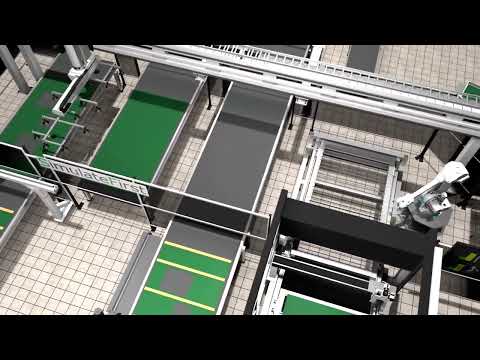
Automated wall assembly line robot simulation

Automated wall assembly line — robot kinematics & laser cutting

Visual Components · Manufacturing
Factory layout simulation Visual Components

Entire factory layout — material flow & throughput analysis

Visual Components · Manufacturing

What we simulate and what you can test

Our Visual Components models replicate the physical reality of your cell with full kinematic fidelity. This includes:

  • Robot reach and reachability analysis — verify every tool position is within the robot's workspace without singularities
  • Collision detection — identify interference between robots, fixtures, guards, conveyors, and workpieces at any point in the cycle
  • Cycle time analysis — measure actual cycle time including all moves, waits, and handoffs — not theoretical calculations
  • Multi-robot coordination — model concurrent operation and interlocking of multiple robots in shared workcells
  • Conveyor and material flow — simulate part movement, buffering, and pacing between stations
  • Layout optimisation — compare alternative equipment positions and orientations to find the most efficient arrangement
1

CAD data & specification import

We start from your CAD layout (STEP, IGES, or native format), robot selection, and process specification. Machine and component CAD files from suppliers are imported or replaced with library equivalents.

2

3D model build & kinematics

We build the full kinematic model — robots from the Visual Components library, custom fixtures, conveyors, sensors, and guards. Every component that moves is modelled accurately.

3

Programming & sequence simulation

Robot programs are written in the simulation. Sequences are defined, tested, and timed. All coordination logic, interlocks, and concurrent motions are validated.

4

Analysis, optimisation & output

Cycle time reports, reach maps, collision analysis, and alternative layout comparisons. Offline robot programs generated and exported. Full model and documentation delivered.

What you get at the end

Verified
layout — every robot position reachable, no collisions, cycle time confirmed
Offline
robot programs ready to upload — no manual site teaching needed
Reusable
3D model for future modifications, training, virtual commissioning & sales demos

Deliverables: the Visual Components model file, a cycle time report, collision analysis, offline robot programs for all robots, layout comparison documentation (if alternatives were tested), and a recorded walkthrough video of the simulated cell for stakeholder presentations.

Robot brands & system components supported

Visual Components includes models from all major robot manufacturers — plus conveyors, grippers, safety systems, and thousands of industrial components. We can import custom machine CAD for components not in the library.

ABBKUKAFanucUniversal RobotsYaskawa / MotomanDENSOStäubliCustom CAD import
Visual ComponentsOPC UATwinCATPLC Sim AdvancedOffline programming export

From sales demo to engineering simulation

Many projects start with a visual 3D demo — a compelling animation of the proposed automation solution to win the order or align stakeholders. Once the project is approved, the same Visual Components model is developed further into a full engineering simulation: reach verification, cycle time analysis, offline robot programs, and virtual commissioning. One model, two stages of the project.
Case study

Delta robot picking line:
fewer robots, higher throughput, proven before go-live

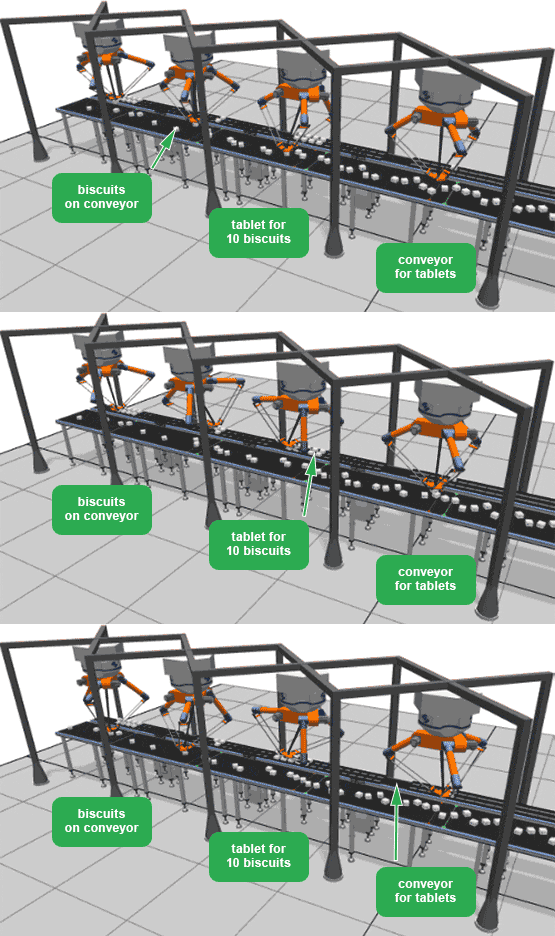
Delta robot simulation picking biscuits in Visual Components
Food & beverage · Visual Components

Biscuit production line — delta robot pick rate optimisation

A food manufacturer needed to optimise the coordination of delta robots picking biscuits from a moving conveyor. The goal was to maximise pick rate and throughput while minimising the number of robots — reducing capital cost without sacrificing output.

SimulateFirst built a Visual Components simulation incorporating dynamic pick algorithms that allocated biscuits to robots based on position, speed, and arm availability. Multiple robot counts and placement configurations were tested until the optimal arrangement was found.

Target pick rate achieved with 2 fewer robots than initial design
Dynamic task allocation algorithm validated in simulation before implementation
Zero interference between robot arms at maximum conveyor speed
Offline robot programs generated — no manual teaching required
View all examples →
AI-assisted modelling

Faster layout alternatives with AI generation

Before committing to a detailed 3D model in Visual Components, we often need to evaluate several facility layout candidates: different workstation arrangements, aisle configurations, or robot cell positions. Generating these alternatives manually is time-consuming.

AI can generate layout alternative candidates from a verbal process description or a rough sketch — defining workstation coordinates, conveyor paths, and material flow logic in structured form. These candidates can then be evaluated rapidly for throughput and reachability before the detailed simulation is built, significantly compressing the concept phase.

Learn how AI assists simulation projects →
AI applies to this service
  • Layout alternative generation from process description
  • Rapid concept-phase ranking before detailed 3D build
  • Workstation cycle time estimation for new lines
FAQ

Common questions about 3D robot simulation

3D robot simulation is used to design, test, and optimise robot cells and production lines before the physical system is built. Engineers verify robot reach, cycle times, collision-free paths, and overall layout — all without committing to hardware. It also generates offline robot programs that upload directly to the controller, eliminating manual site teaching.
Visual Components is the industry-leading 3D simulation platform for manufacturing, with over 1,000 pre-built robot models from all major brands and an extensive library of industrial components. SimulateFirst is a certified Visual Components partner and reseller. We use it because its kinematic fidelity and offline programming output are the best available for robot cell design.
Yes — offline programming is a core capability. Robot programs are generated from the simulation in the robot's native language (RAPID for ABB, KRL for KUKA, LS for Fanuc, URScript for Universal Robots, etc.) and can be uploaded directly to the robot controller. This eliminates manual teaching of robot positions and is particularly valuable for complex cells with many positions.
CAD data speeds up the model build considerably and is the preferred starting point. However, many components are available in the Visual Components library (robots, conveyors, standard fixtures), and custom components can be modelled from drawings or photos. We can build useful simulation models even without complete CAD data.
Absolutely — and many clients commission robot simulation specifically for pre-sales purposes. An animated 3D walkthrough of your automation solution is far more compelling than a 2D drawing or text proposal. The same model used for engineering validation can be recorded and used as a presentation asset, often winning deals that a static proposal would not.
A single robot cell simulation typically takes 2–4 weeks from CAD data to validated model and offline programs. A full production line or facility layout simulation runs 4–8 weeks depending on complexity. Virtual commissioning (connecting the model to the real PLC) adds 2–4 weeks on top of the basic model build.
Free consultation

Let's simulate your robot cell

Tell us about your robot cell or facility — the robot brand, process, and what you need to validate. We'll scope the simulation and tell you what it can answer.

Response within 1 business day
Full NDA available as standard
Remote delivery worldwide
Transparent fixed-scope proposal

Germany — Dresden

Anton-Graff-Str. 24, D-01309
dresden@simulatefirst.com
+49 (0) 351 30906020

Poland — Wrocław

ul. Powstańców Śląskich 5, 53-332
polska@simulatefirst.com
+48 75 6406434

We respond within 1 business day · NDA available · No spam, ever

By submitting, your data will be used solely to respond to your enquiry. Privacy policy.