Digital twin

Your production plan,
updated every morning automatically

A live simulation model reads today's orders and constraints from your ERP — then generates a probabilistic production schedule with on-time delivery probabilities for every order.

30–40%
on-time delivery improvement in typical deployments
Daily
automated schedule generation — no manual intervention
8–16 wk
typical project from kick-off to live deployment

Why static scheduling always breaks down

Every production schedule starts optimistic. It assumes machines run at full capacity, operators are always present, and every job takes exactly as long as planned. Within hours of the shift starting, reality diverges — and the schedule becomes a fiction everyone politely ignores.

The real cost isn't just missed delivery dates. It's the constant firefighting: shifting jobs, renegotiating deadlines, and making prioritisation decisions under pressure without reliable data on which orders are actually at risk. Production managers become human schedulers — spending their cognitive capacity on crisis management instead of improvement.

The core problem: Traditional scheduling tools optimise for a world where nothing goes wrong. A digital twin schedules for the world as it actually is — with variability, failures, and uncertainty built in from the start.

What a digital twin production plan looks like

A SimulateFirst digital twin is a Simio simulation model connected live to your ERP or MES. Each morning, it reads the current state of your production: open orders, their routing and process times, available machines, staff, tooling, and any constraints. It then runs thousands of simulated production days — each with slightly different variability — to produce a schedule grounded in probability, not optimism.

The result isn't just a Gantt chart. It's a schedule that tells you: this order has an 87% probability of shipping on time; this one has 43% and needs attention now. You see the risks before they become emergencies.

1

ERP / MES data integration

We connect the simulation model to your data source — SAP, custom MES, or file export. Orders, routings, process times, machine availability, and constraints are read automatically on a defined schedule (typically each morning).

2

Simulation model build & validation

We build the Simio model of your production process — machines, workers, routings, buffers, setup times, and failure distributions. It's validated against historical data before going live.

3

Probabilistic scheduling run

The model runs multiple replications of the coming production period. Each replication uses a different random seed for machine failures and variability. Results are aggregated to produce on-time probabilities and expected completion times per order.

4

Schedule output & dashboard

Results are written back to your system or displayed in a dashboard — sorted by risk level, flagging orders that need intervention. Manual overrides and what-if scenarios can be run on demand.

What you get at the end

Daily
automated schedule with delivery probability per order
Risk
flagging of at-risk orders before they miss their deadline
What-if
on-demand scenario testing for new orders, priorities, or disruptions

Deliverables include: the live Simio model and integration scripts, a dashboard or data output format your team can use daily, documentation for IT handover, and training for the production planning team. The model is fully yours — no ongoing licence fees to SimulateFirst.

Digital twin vs conventional scheduling tools

CapabilityDigital twin (Simio)ERP scheduler / Gantt tool
Accounts for machine failure probability✓ Modelled from historical MTBF data✗ Assumes 100% availability
Delivery probability per order✓ Expressed as % confidence✗ Binary on-time / late
Handles variability in process times✓ Distribution-based, not fixed values✗ Fixed standard times only
Supports what-if scenario testing✓ Run on demand, results in minutesRequires manual re-scheduling
Adapts to live ERP data automatically✓ Reads fresh data each runManual import or static snapshot
Reverse planning (deadline-back)✓ Calculates latest start to meet due dateForward planning only in most tools

Tools & technology

Our digital twin scheduling work is built on Simio — chosen because its native risk-based scheduling engine is designed specifically for probabilistic planning, unlike general-purpose simulation tools that require significant customisation to produce scheduling outputs.

For complex scheduling problems with hard constraints — machine groups, shared tooling, sequence dependencies, calendar restrictions — we implement proprietary optimisation logic using Google OR-Tools and IBM CPLEX constraint programming components. This gives us full control over the scheduling algorithm, allowing tight integration with the simulation and custom objective functions specific to each client's planning priorities.

SimioGoogle OR-ToolsIBM CPLEXSAP integrationMES integrationREST API / database
Related examples

See it in practice

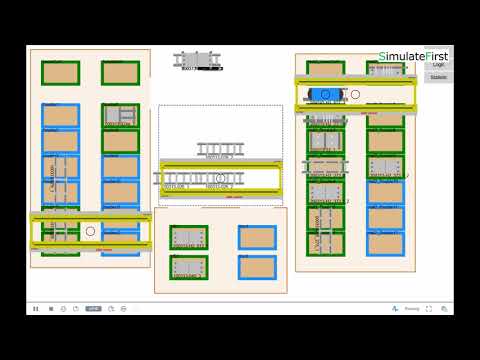
Steel plant production scheduling digital twin AnyLogic

Steel construction plant — ERP-connected scheduling twin

AnyLogic · Manufacturing
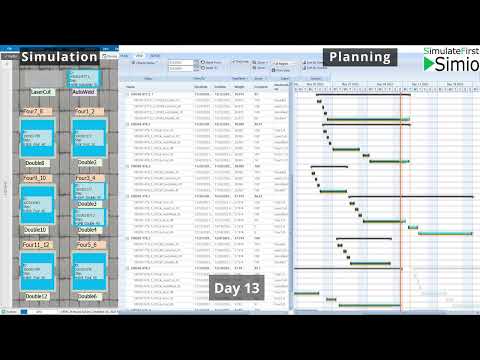
Stochastic production model scheduling random failures variability

Stochastic production model — scheduling with random failures & variability

Simio · Manufacturing
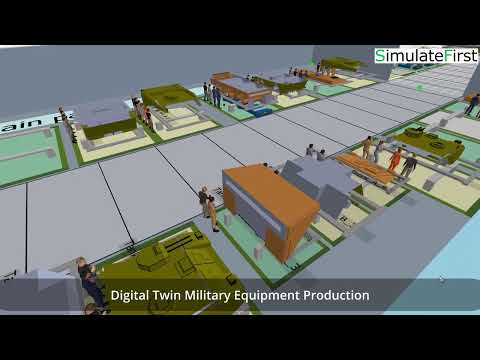
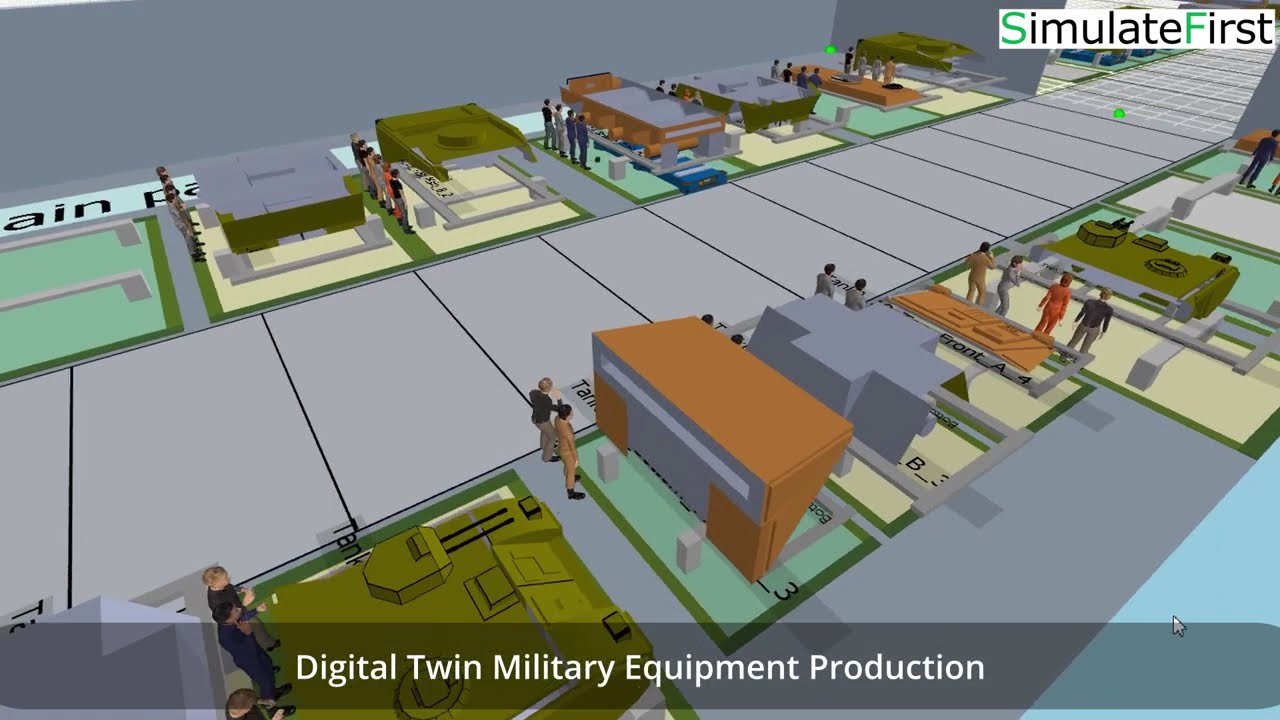
Military equipment manufacturer digital twin production planning

Military equipment manufacturer — digital twin for production planning

Simio · Manufacturing
Case study

Military equipment manufacturer:
digital twin for complex production scheduling

Simio digital twin military equipment production scheduling
Manufacturing · Simio · Production scheduling

Military equipment manufacturer — Simio digital twin for production planning

A manufacturer of complex military equipment needed reliable production scheduling across a multi-stage, low-volume high-mix environment. Each order involved many interdependent components, shared resources, and strict delivery constraints — making static planning tools insufficient.

A Simio digital twin was built to model the full production flow, test scheduling scenarios, and analyse capacity constraints. The model provides production planners with a clear picture of resource utilisation, bottlenecks, and delivery risk — allowing confident decisions before committing to schedules.

Full production flow modelled in Simio including all resource constraints
Scheduling scenarios tested before live execution
Bottlenecks and delivery risks made visible to planners
Complex low-volume high-mix environment — no off-the-shelf tool could handle it
View all examples →
AI-assisted modelling

AI-assisted data pipelines for faster twin deployment

Connecting a digital twin to live ERP or MES data requires a reliable data pipeline: field mapping, transformation logic, scheduling, and error handling. AI accelerates the scripting of this pipeline considerably — given a sample data export and a description of the model's input requirements, AI can generate the transformation and import code that typically takes a developer several days to write.

AI is also used to generate realistic demand scenarios for testing the twin before live data is connected — simulating order variability, machine failure patterns, and staff shortage events to stress-test the scheduling logic before deployment.

How AI is used across our simulation work →
AI applies to this service
  • ERP/MES data pipeline scripting
  • Synthetic demand scenario generation for testing
  • Model logic scaffolding and code review
FAQ

Common questions about digital twin scheduling

A digital twin is a simulation model connected to live data from your ERP or MES. It reads current orders, resources, and constraints — then runs thousands of simulations to generate a schedule accounting for variability, failures, and uncertainty. Unlike static tools, it gives you a delivery probability per order, not just a plan that assumes everything goes right.
We have experience connecting to SAP, custom MES platforms, and proprietary databases. Integration uses database read access, REST API, or scheduled file export — whichever your IT team prefers. The simulation reads fresh data automatically on a schedule and generates updated schedules without manual intervention.
Most projects run 8–16 weeks from kick-off to live deployment. A simpler scheduling model for a single production line can be delivered in 6–8 weeks. Timeline depends on production complexity and depth of ERP integration. We scope this precisely in the proposal phase before any commitment.
The integration layer (database connection or API) needs standard IT maintenance — similar to any other ERP integration. The simulation model itself requires no daily maintenance. If your process changes significantly, we offer a maintenance and update service, or we can train your team to update the model independently.
High variability is exactly the situation where digital twin scheduling delivers the most value over static tools. Unique, complex orders with many dependencies are well-suited to simulation — that's precisely what our military equipment manufacturer case study involved. The model captures variability as a feature, not a bug.
Yes — the digital twin generates a recommended schedule, not a locked one. Planners can override priorities, pin jobs to specific machines, add new urgent orders, and re-run the simulation to see the updated risk profile. The twin is a decision-support tool, not a replacement for human judgement.
Free consultation

Let's build your production planning twin

Tell us about your production process — order complexity, scheduling challenges, ERP system, and what on-time delivery looks like for you. We'll tell you what's possible and how long it takes.

Response within 1 business day
Full NDA available as standard
Remote delivery worldwide
Transparent fixed-scope proposal

Germany — Dresden

Anton-Graff-Str. 24, D-01309
dresden@simulatefirst.com
+49 (0) 351 30906020

Poland — Wrocław

ul. Powstańców Śląskich 5, 53-332
polska@simulatefirst.com
+48 75 6406434

We respond within 1 business day · NDA available · No spam, ever

By submitting, your data will be used solely to respond to your enquiry. Privacy policy.